 Open in Claude Code
 Open in Cursor
 Open in Codex
Real contacts, never invented
Your assistant stops inventing email addresses and people who don’t exist. If Hunter can’t verify a contact, it says so instead of guessing.
AI prospecting,
built on real GTM data.
Ask your AI to find companies, verify email addresses, and build leads lists with Hunter’s MCP.
Included in all Hunter plans. No extra cost.




When AI confidently invents a lead’s email address, it undermines your entire research flow. Hunter’s MCP fixes that, giving your assistant accurate, real contact data as the foundation for your outreach.
Every contact is found and verified, never guessed.
Your assistant stops inventing email addresses and people who don’t exist. If Hunter can’t verify a contact, it says so instead of guessing.
Every email address is checked for deliverability and returned with a confidence score, so you don’t burn your domain on bounces.
Answers come from Hunter’s data from 100M+ companies and real email addresses, not the model’s best guess.
You’re using AI to research accounts, draft outreach, and prepare for calls. But the moment you need a verified email address or a list of contacts, you leave the chat, open Hunter, and start copy-pasting. Context gets lost. Momentum slows down.
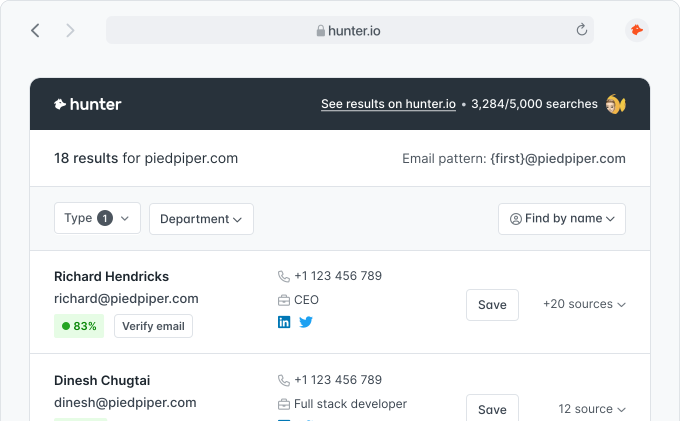
Prospecting used to mean switching tools, exporting CSVs, and losing track of browser tabs. Tell your assistant who you want to reach, and Hunter finds real leads.
Connect Hunter’s MCP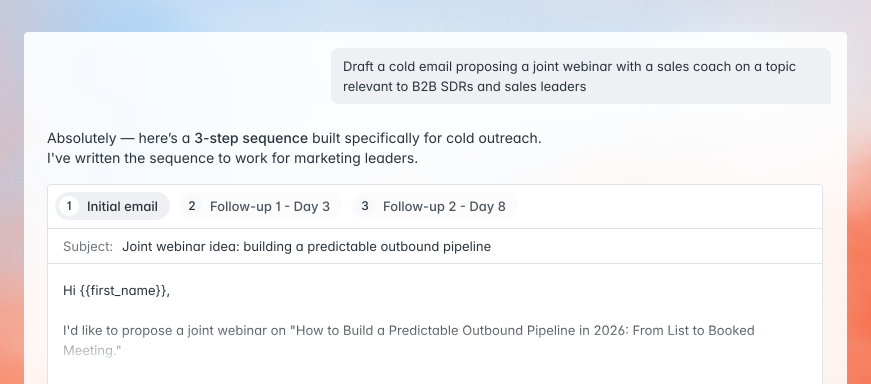
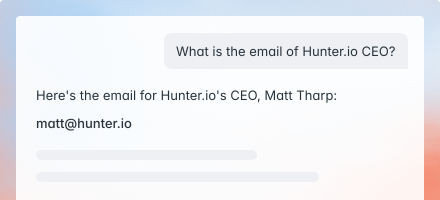
Ask for a person by name and company, and get their verified email address in response.
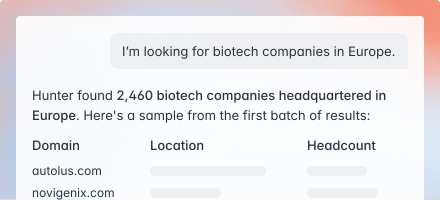
Ask for a domain, and get the key contacts at that company in one go.
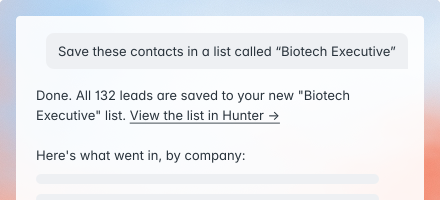
Every address is checked, enriched, and saved to Hunter Leads without leaving the chat.
Contacts move from research to your lead list without a CSV in sight.
Hunter and your assistant live in the same window.
Names, email addresses, and lists flow between tools automatically.
Connect Hunter’s MCP once, and your plan, credits, and data come with you.
Everything your assistant needs to find and verify leads.
Already included in your Hunter plan.
Add the remote MCP server once. Your existing Hunter plan and credits come with you.
Find companies, identify decision-makers, and verify email addresses – all in one conversation.
Save your contacts to a list and hand them to a tailored outreach sequence, without leaving the chat.
Included in all Hunter plans. No extra cost.
The remote MCP server works with any MCP-compatible client. Add it once with your API key and start prospecting.
Create a free account to get your API key, or log in if you already have one. It authenticates every request the MCP server makes.
Create a free accountAdd this server URL as a custom connector, and pass your API key in the X-API-Key header (or via the one-click OAuth flow where your client supports it).
https://mcp.hunter.io/mcp
Available on all Hunter plans. Works with Claude, ChatGPT, Gemini, and any MCP-compatible client.
Open a new chat and start with “Hunter, help me…”. Your assistant does the rest, grounded in real Hunter data.
Not sure where to start? Browse our ready-to-use prompt library.
Prefer a guided, provider-specific walkthrough? Follow the step-by-step setup for your assistant and start prospecting with Hunter’s verified data.

Search for contacts, verify email addresses, and enrich leads directly inside Claude. Your AI assistant gets real-time access to Hunter’s data.

Find and verify professional email addresses without leaving ChatGPT. Hunter’s data is available right where you work.

Find and verify professional email addresses in the Gemini app, Gemini CLI, AI Studio, or Vertex. Hunter’s data is available right where you work.

Give Grok Bot, Cursor’s always-on AI teammate, verified contact data. One-click install from the Cursor Plugin Marketplace.
I have a call with {{company_name}} tomorrow. Use Hunter to find the company’s domain, then pull all available contacts there. Identify the most senior people in {{department}} and return their names, titles, and verified email addresses so I know who the key stakeholders are before I get on the call.
I need to reach the person responsible for {{function_or_decision}} at {{company_name}}. Use Hunter to search for contacts at this company, then identify the most relevant person based on their job title. Return their name, title, email address, and any other available profile details.
Use Hunter to find everyone working at {{company_name}} in {{department}} roles. Organize the results by seniority – leadership first, then mid-level, then individual contributors – and include their verified email addresses and confidence scores. I want a clear picture of the full team structure.
I’m uploading a CSV with columns for first name, last name, and company from an event. For each row, use Hunter to find and verify their professional email address. Return the enriched list with the original columns plus email address and confidence score added. Flag any rows where Hunter couldn’t find a match.
I just received a lead from {{name}} at {{company_name}}. Use Hunter to look up the company domain, verify their email address, and pull any other contacts at the company in {{department}} roles. Give me a quick snapshot: is the email address valid, what’s the company size, and who else should I be aware of at this account?
I’m building a prospect list for {{ideal_customer_profile}}. Use Hunter to find {{number}} matching companies, then for each one identify the top {{number}} contacts in {{department}}. For every contact, verify their email address and note the confidence score. Output everything as a structured list I can review and prioritize before starting outreach.
Already have one? You’re set. New to Hunter? Create a free account – no credit card, works with your AI assistant via your API key.

 4.6 on Capterra
 4.4 on G2
If you can't find the answer to your question here, visit the dedicated section in our Help Center.
Visit the Help CenterHunter’s MCP is an integration built on the Model Context Protocol (MCP). It lets your AI assistant find companies, search for contacts, verify email addresses, and manage leads – all through natural-language prompts, grounded in real Hunter data.
Any MCP-compatible client. For a guided, provider-specific setup, see Hunter for Claude, Hunter for ChatGPT, Hunter for Gemini, Hunter for Grok Bot, and Hunter for Perplexity. You can also add the remote MCP server to Claude Desktop, Claude.ai, Gemini, Perplexity, and other clients as a custom connector.
Hunter’s MCP works with all Hunter plans, including free accounts. Your existing request limits and credits apply.
The MCP gives your assistant access to the Hunter API: Hunter Discover (find companies – free), the Domain Search (find contacts at a company), the Email Finder (find a specific person’s email address), the Email Verifier (check deliverability), Company and Person Enrichment, and Leads management (create, update, organize into lists).
Yes. This is Hunter’s official MCP server. It only accesses your Hunter data within the permissions you grant, and never stores your credentials.
Your API key lives in the API section of your Hunter account. The MCP server passes it in the X-API-Key header to authenticate each request, so nothing leaves your control.
More than 7,000,000 professionals use Hunter to build more connections and grow their business.